![LumenLearning_StackedLogo_RGB_Blackboard@2x.png]](https://support.lumenlearning.com/hs-fs/hubfs/Branding%202023/LumenLearning_StackedLogo_RGB_Blackboard@2x.png?height=40&name=LumenLearning_StackedLogo_RGB_Blackboard@2x.png)
If you make changes to OHM due dates in Canvas, in order for a student to see the new due date, they will need to click into the assignment. This video does a great walkthrough of what this will look like for faculty and students.
Some notes:
- Due date changes take hold when students re-initiate an assignment launch after the due date has been updated in Canvas.
- Students do have to completely leave the assessment and re-enter it by clicking on the assignment link in order for this to happen
- In OHM it may appear from the teacher's view that the due date change did not go through, but students WILL be able to access and see the new due date.
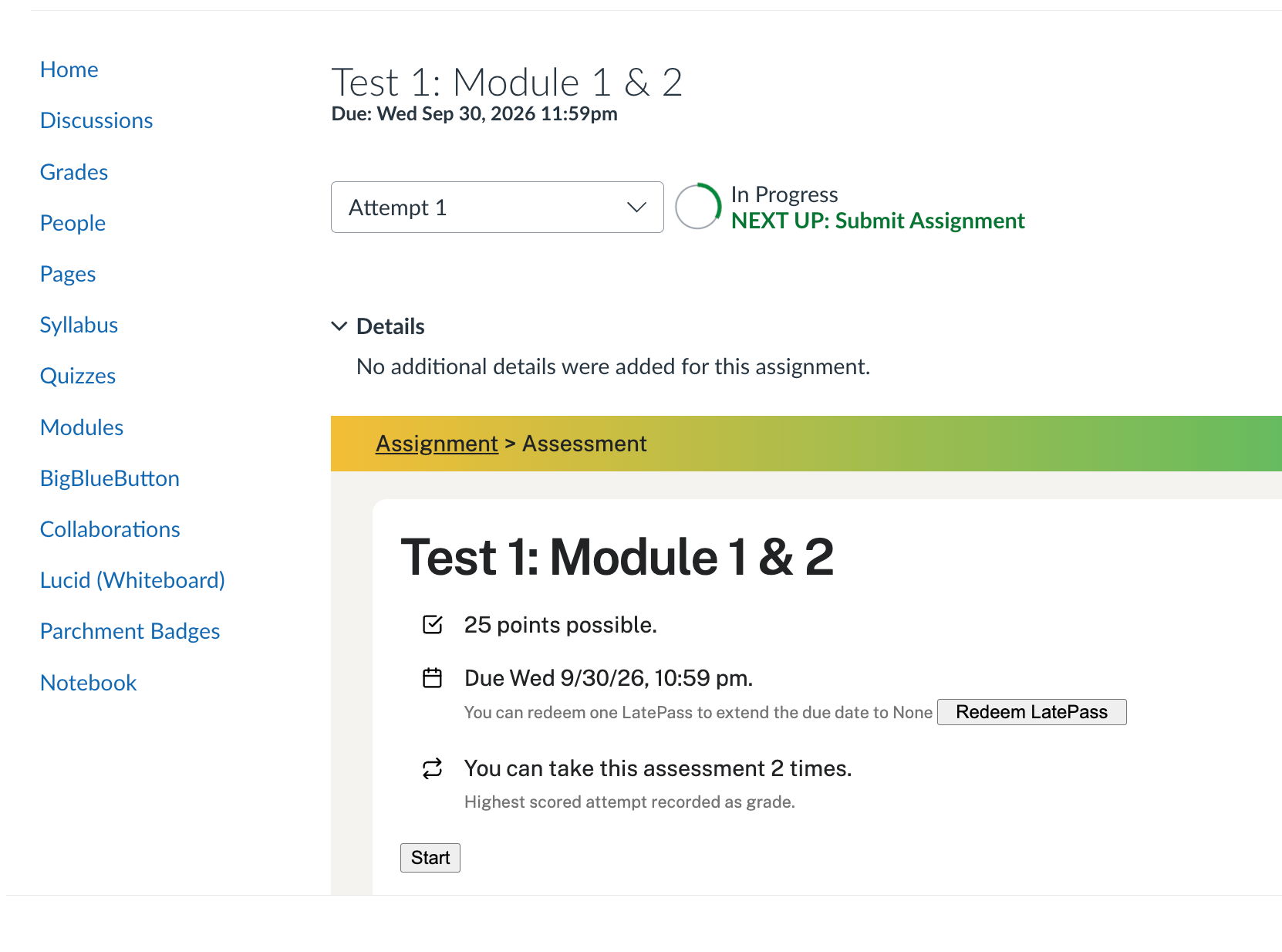
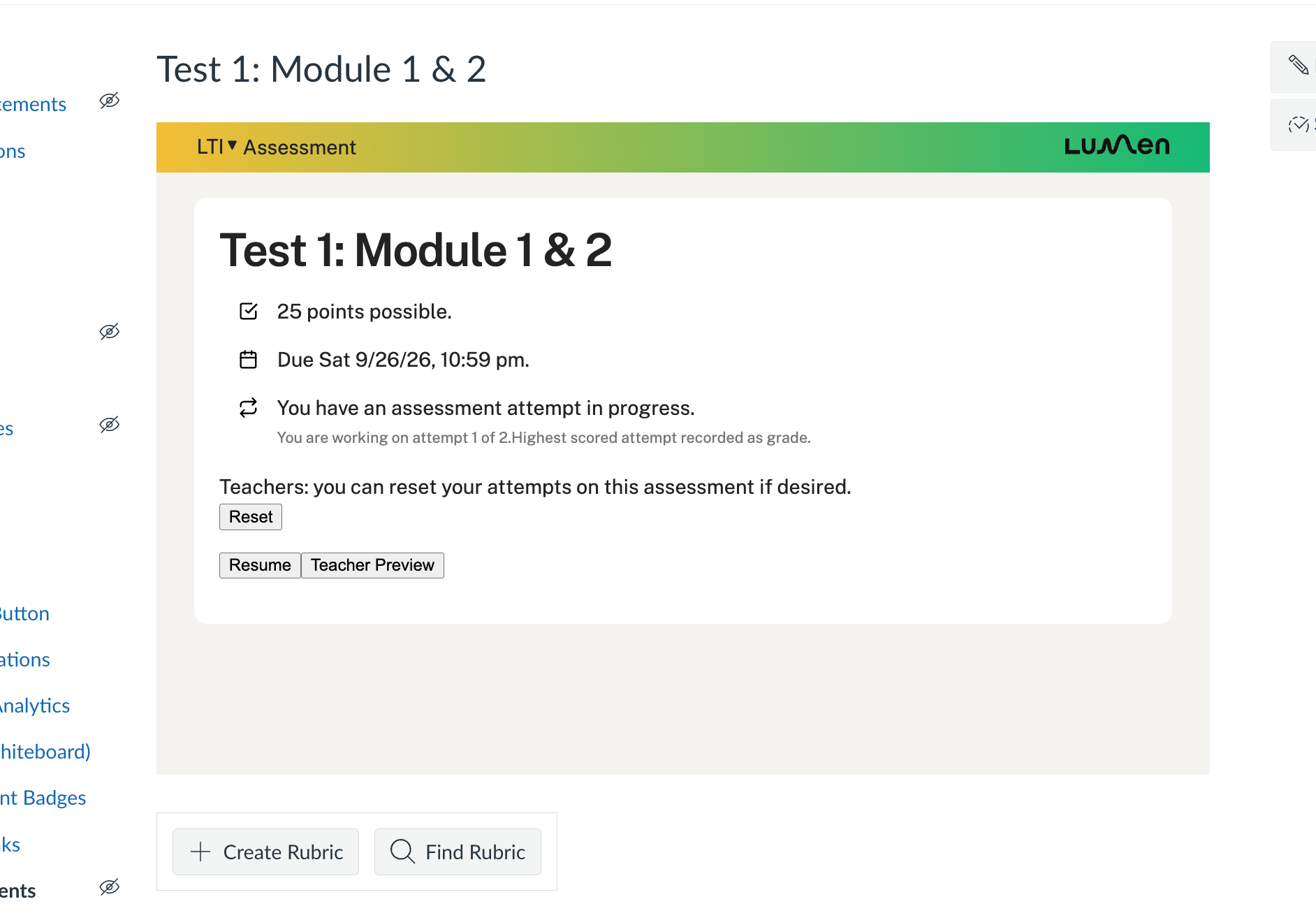
In the following example, the instructor has changed the due date from 9/26 to 9/30:
Teacher view with original date of 9/26/26 changed to 9/30/26
Student view of date change from 9/26/26 to 9/30/26