![LumenLearning_StackedLogo_RGB_Blackboard@2x.png]](https://support.lumenlearning.com/hs-fs/hubfs/Branding%202023/LumenLearning_StackedLogo_RGB_Blackboard@2x.png?height=40&name=LumenLearning_StackedLogo_RGB_Blackboard@2x.png)
Each Lumen One course comes with faculty resources to support your teaching. This is where you can find easily customizable assignments, instructor guides, slide decks, and much more.
Here are the instructions on how to find the resources in your Faculty Engagement Center:
Step 1: Go to your Lumen One course in your learning management system.
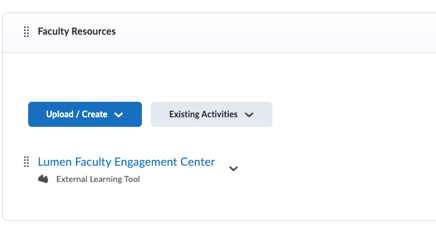
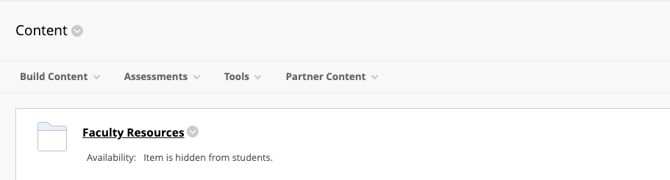
Step 2: Click on the Lumen Faculty Engagement Center link.
Here's what it looks like in Brightspace:
Here's what it looks like in Canvas:

Here's what it looks like in Blackboard:
-
Don't see the faculty resources in your course? Here's an article on how to restore your Faculty Engagement Center.
Step 3: Click on the Faculty Engagement Center icon titled "Faculty Resources." 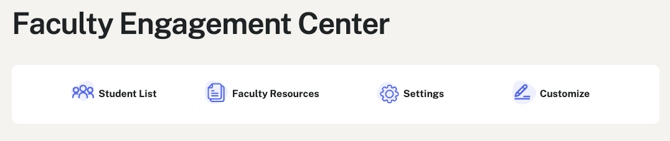
Step 4: Click on "Find Class Resources" link. Here's is a sample for Introduction to Business. 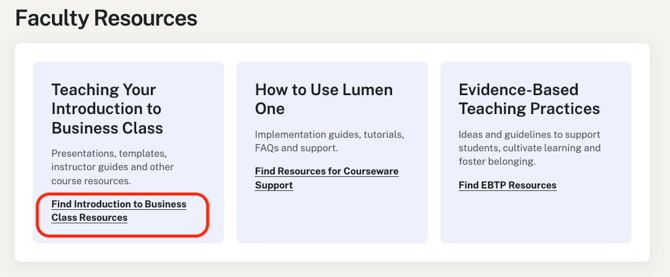
Step 5: Use the Jump To menu (circled in red below) to select your resources. 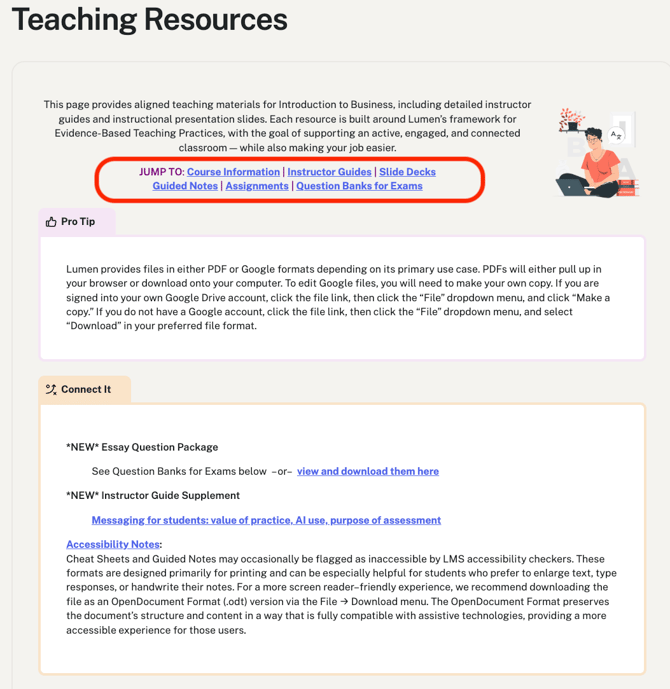
Still need help? Submit a ticket request, and we'll help you.